Gridlines App
Improving clarity in AI-assisted financial worksheet tools
Timeline
2025, 6 weeks
Responsibilities
UX Designer
Project
Web App Design
What is Gridlines?
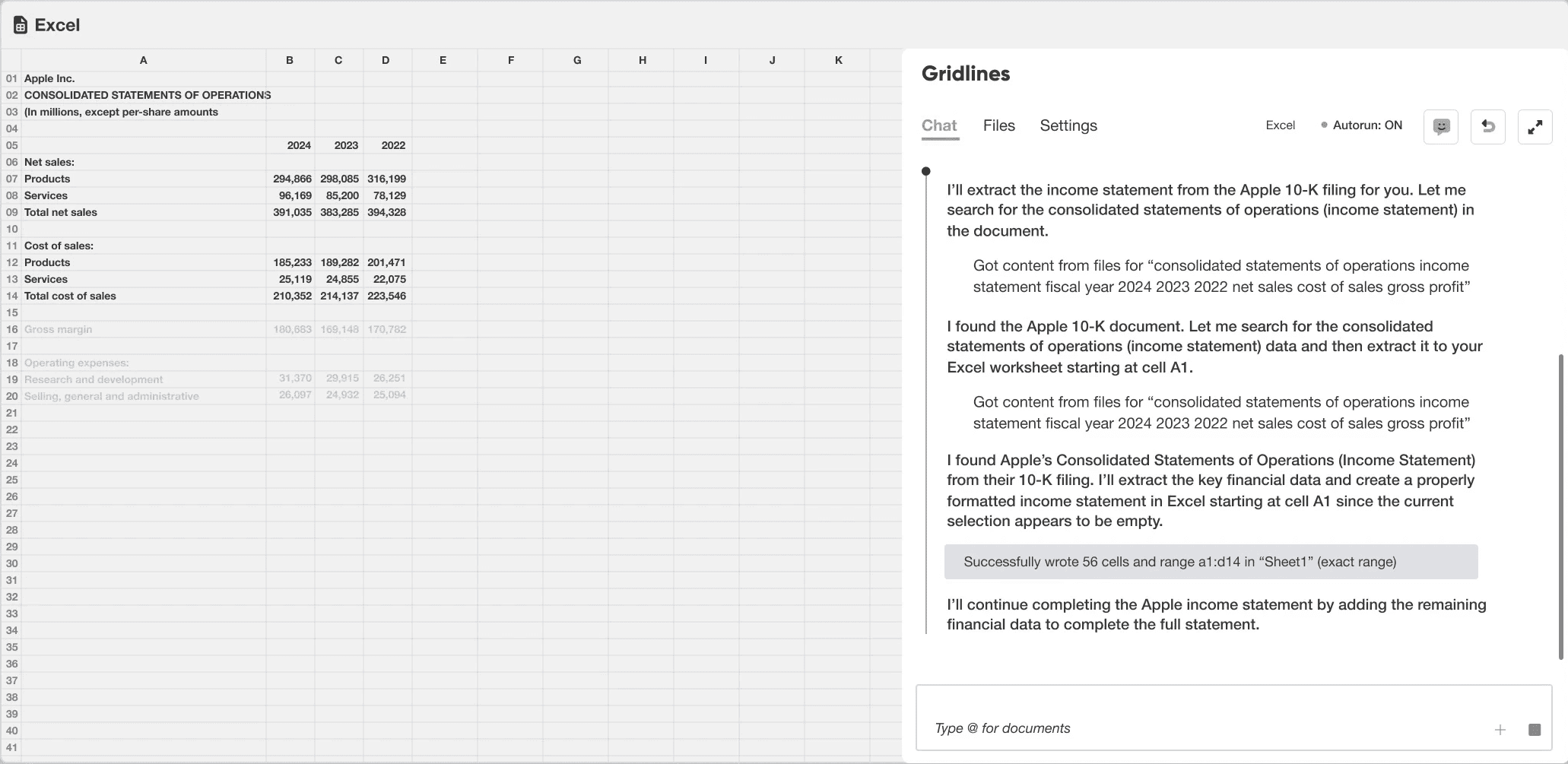
Gridlines is an AI-powered Excel and Powerpoint add-on productivity tool built for finance and consulting professionals who spend hours working in spreadsheets and slides. In Excel, it helps analyze, clean, and transform data directly through natural language and formulas, eliminating the need for manual, error-prone workflows.
Project Overview
What was the problem?
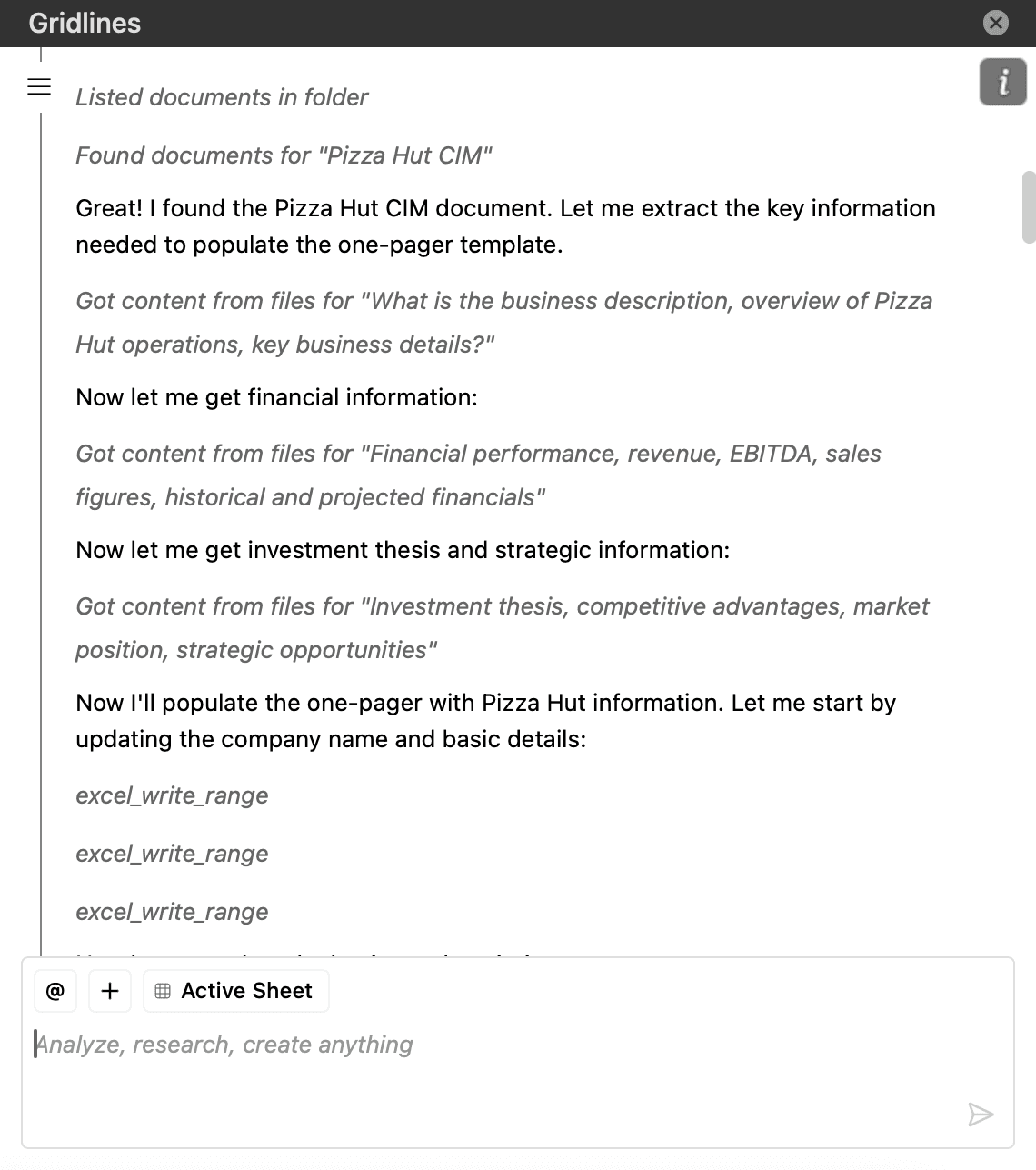
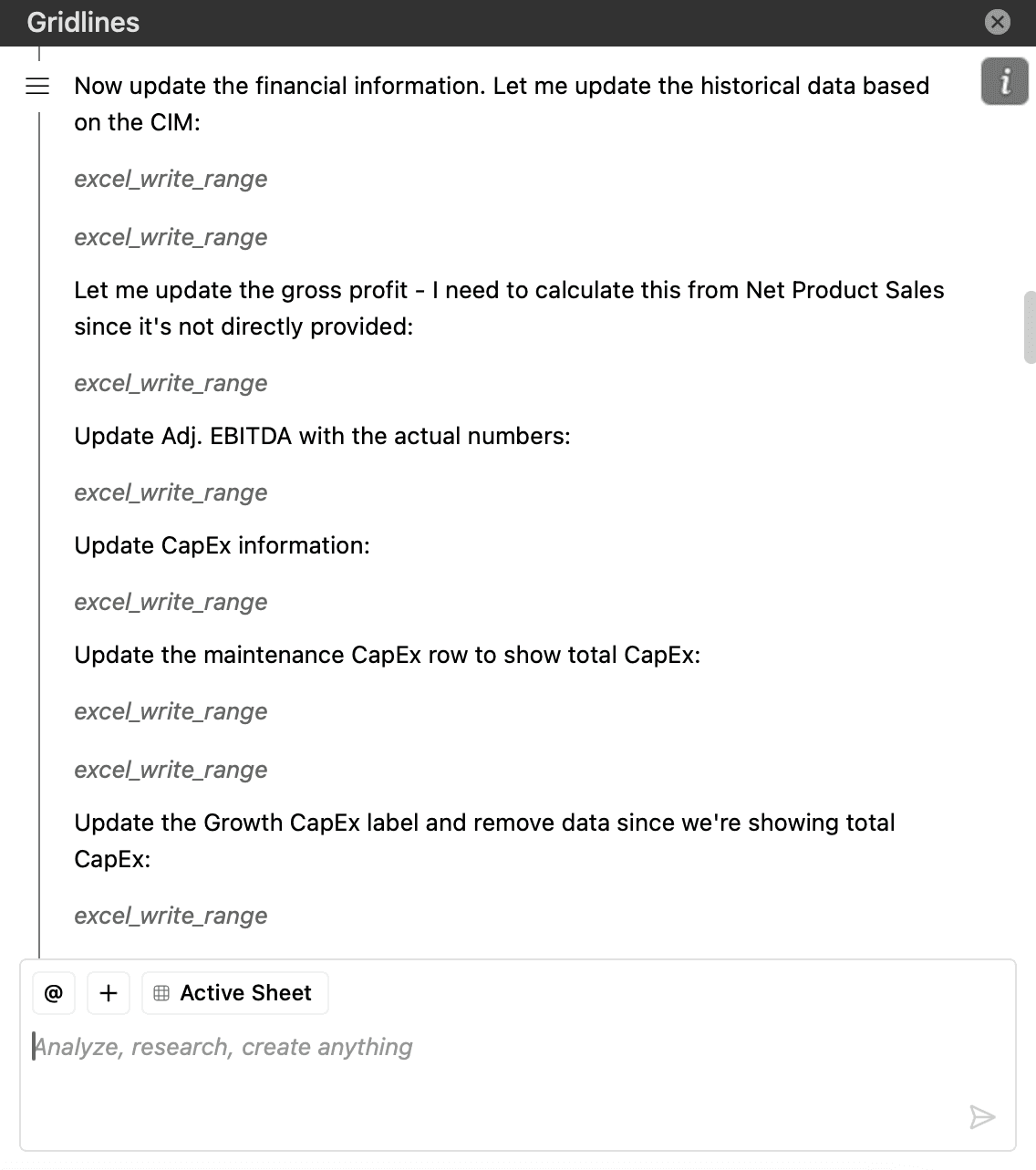
Gridlines was receiving user feedback that the AI chat responses were overly verbose and taking up too attention while spreadsheet actions were being completed by the agent. Users had to parse long and sometimes irrelevant messages while simultaneously tracking changes in Excel, creating unnecessary friction.
Previous chat interface
Refreshed chat interface
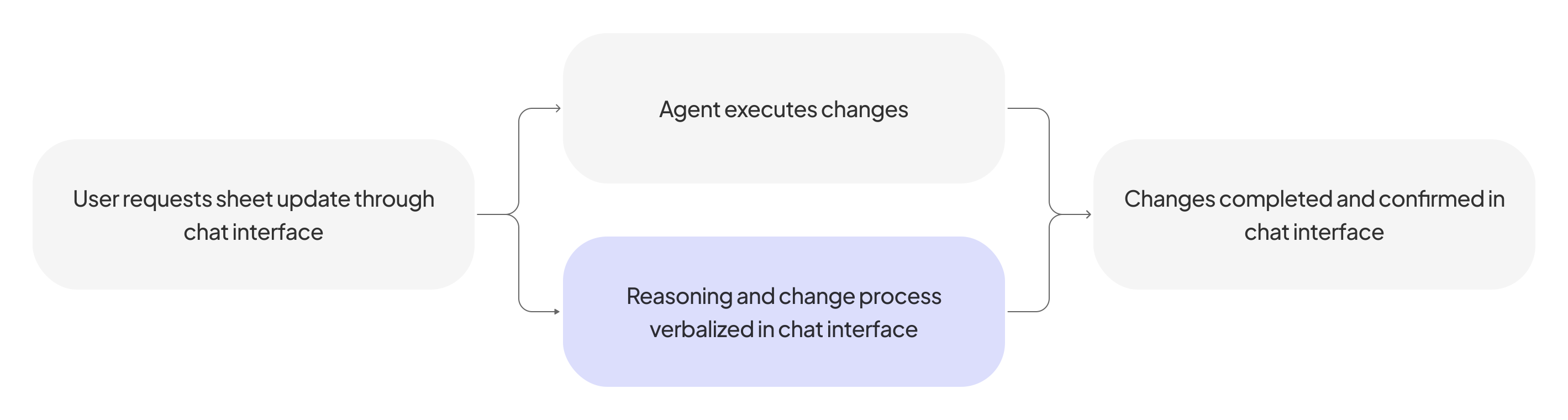
High-level process: Spreadsheet requests via chat interface
Through feedback from early customers and pilot users, observing how users referenced the chat while working in Excel, and synthesizing internal stakeholder insights from customer conversations, clear challenges emerged:
Users primarily wanted to the AI chat for confirmation that an action had succeeded, not for detailed process explanations
When chat messages were too verbose, they interrupted users’ mental flow during spreadsheet model updates
Users preferred brevity but still needed reassurance that actions were correct and traceable
Key Design Implications
1
AI responses should prioritize outcomes and status over line-by-line explanation
2
The chat interface must remain visually secondary and support quick scanning vs. sustained reading
3
Transparency should be available on demand, not front-loaded
Ideation
Based on our preliminary insights, ideation centered on reframing the role of the AI chat from a conversational interface to a supporting tool that instills trust while minimizing distraction. I explored response patterns to understand how different types of content and structure would affect user clarity during live Excel workflows. Two primary directions were identified:
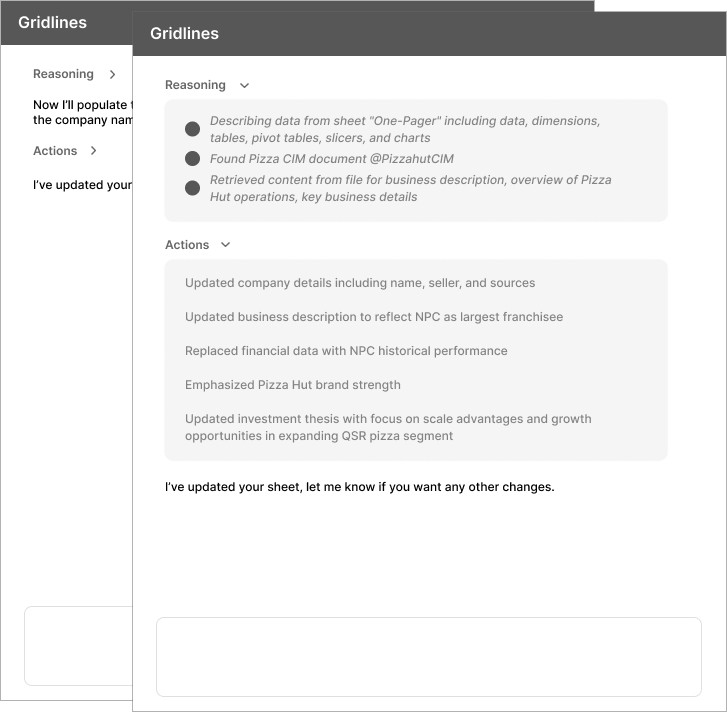
Progressive Disclosure
Planning and updates communicated in limited window and minimized as changes are completed
B. Update Status List
Simplified view of completed actions; users can still verify work through "Sources" functionality
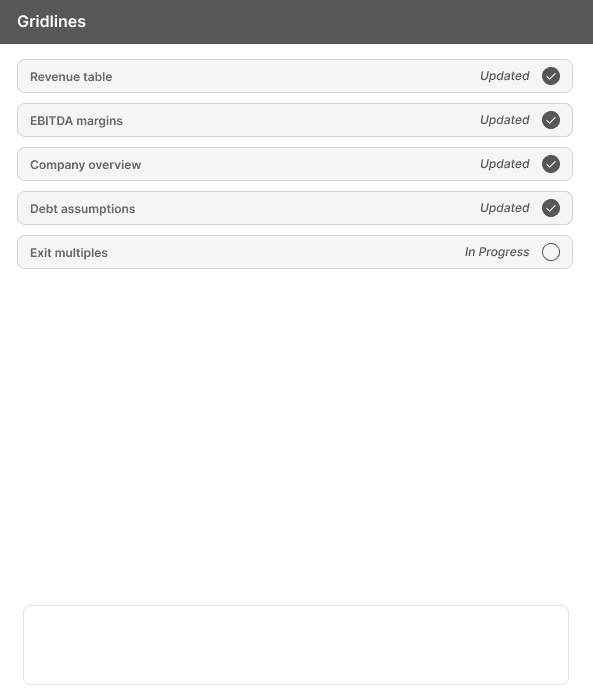
Low-Fidelity Feedback
Through concept testing with 5 users and internal stakeholders, we compared progressive disclosure and status-based response patterns to determine which might better support user clarity, focus, and trust.
Key Findings
1
Status-based feedback was fastest to scan, but left users wondering about what was happening in the back-end while they were waiting for changes to be made
2
Progressive disclosure increased confidence for complex changes
3
Users did not care to see verbalized live spreadsheet actions, but preferred a summary of changes upon completion to check over as needed
We decided to ship progressive disclosure as the default response pattern, with status-based signals prioritized in the content hierarchy and prioritizing communication of changes once actions were completed.
Surfacing only relevant actions so users stay focused and confident in what’s happening on the spreadsheet
Impact
After implementing the outcome-first, progressive disclosure model, follow-up testing sessions showed fewer clarification questions and smoother task flow, suggesting the interaction better aligned with how users naturally validate the AI actions. Instead of pausing to parse long reasoning chains, they quickly scanned for confirmation and returned to the spreadsheet to verify changes.
Reflection
One of my most significant learnings was how much AI UX is shaped by underlying technical constraints. As we designed the chat experience, considerations around latency and ambiguous outputs surfaced. While we didn’t have the time to fully design for every edge case, raising those questions shifted how I think about AI products. It made me more aware that designing for AI isn’t just about crafting clean interfaces, but about also resilient systems.
This project also pushed me to get comfortable making decisions with imperfect inputs. If I could run it again, I’d do follow-up testing focused on edge cases and longer tasks to see where progressive disclosure breaks down, and to refine how “on-demand transparency” shows up when people feel uncertain.